
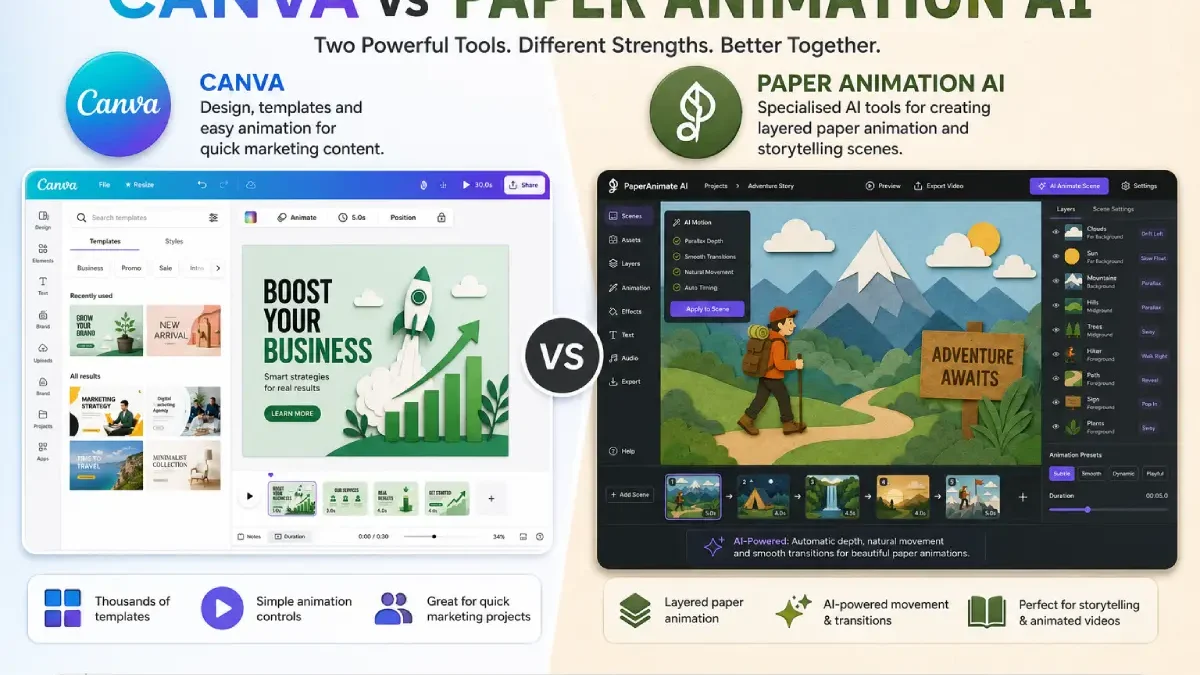

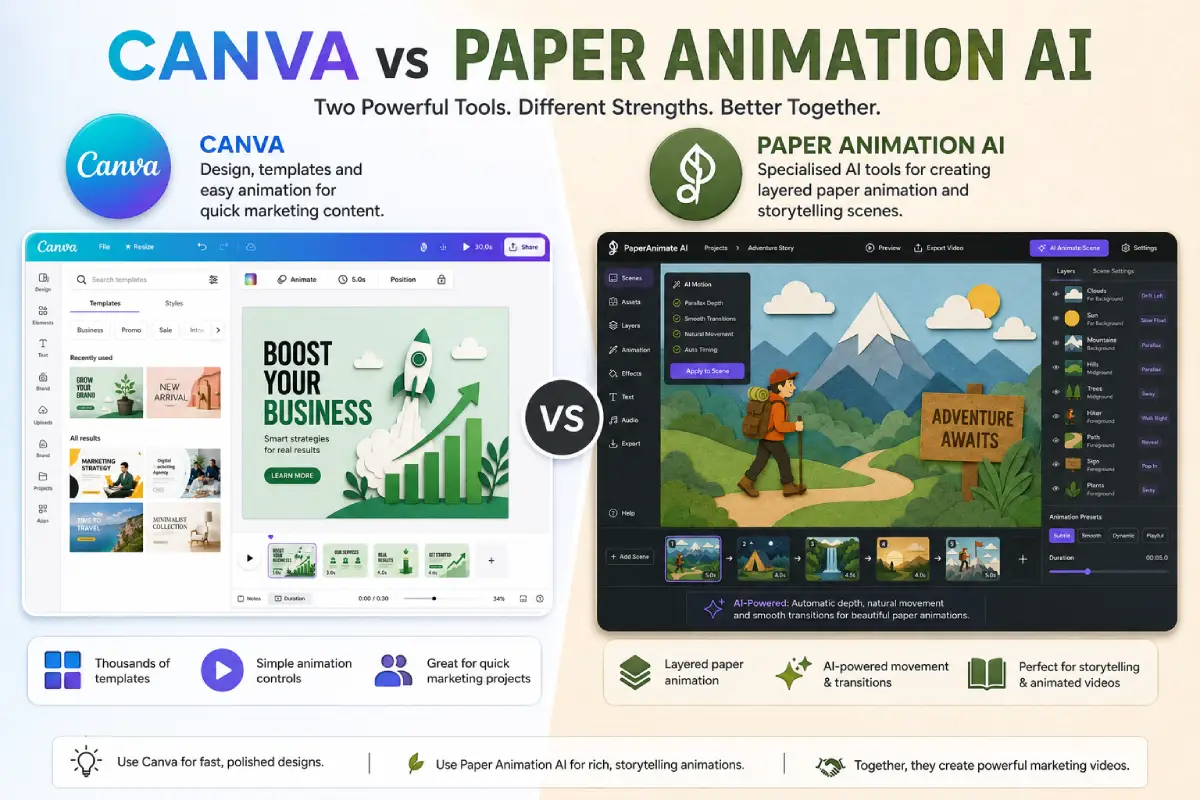


Content creators who want an easy way to make animated marketing videos, social media videos and explainer presentations look for Canva alternatives that can help them make their animated marketing videos using paper animation AI software.
Table of Contents
This Article Is Part of the SEO Hub
Explore more SEO guides, tutorials, strategies, and optimization resources inside our
SEO Resource Hub .
Both paper animation AI software and Canva can make an amazing animated content but there is a difference between those two and can be helpful for entrepreneurs, educators, and content creators to distinguish between.
Definition:
Canva-A general design tool containing templates for social media, presentations, videos and simple animations.
Paper animation AI-Specifically AI-based tools which produce animations with a paper cut out style (layered scene, moving character, moving animation).
The question is not so much about which tool is the larger in general, as which workflow is better for a exact task.
Spectators Persona: Who Should Select Each Option?
Canva Users
Ideal for:
- Social media managers
- Small business owners
- Presentation creators
- Beginners with limited design experience
- Teams needing quick branded content
Paper Animation AI Users
Ideal for:
- Marketing agencies
- Explainer video creators
- Educational content producers
- Brands wanting a handcrafted visual style
- Creators producing frequent animated videos
Feature Comparison Table
| Feature | Canva | Paper Animation AI |
| Primary Purpose | Graphic design and content creation | Paper-style animation production |
| Ease of Use | Very high | Moderate |
| Animation Depth | Basic to moderate | Moderate to advanced |
| AI Asset Generation | Available in some features | Typically a core feature |
| Template Variety | Extensive | More specialised |
| Brand Management | Strong | Varies by platform |
| Collaboration Tools | Strong | Varies by platform |
| Best For | General content creation | Animated storytelling and explainers |
Workflow: Creating an Animated Marketing Video
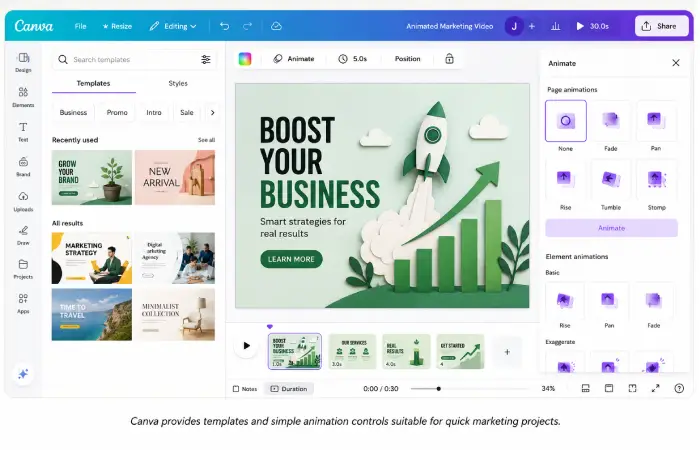
Using Canva
- Choose a video template.
- Add text, images, and branding.
- Apply simple animations.
- Add music or voiceover.
- Export the finished video.
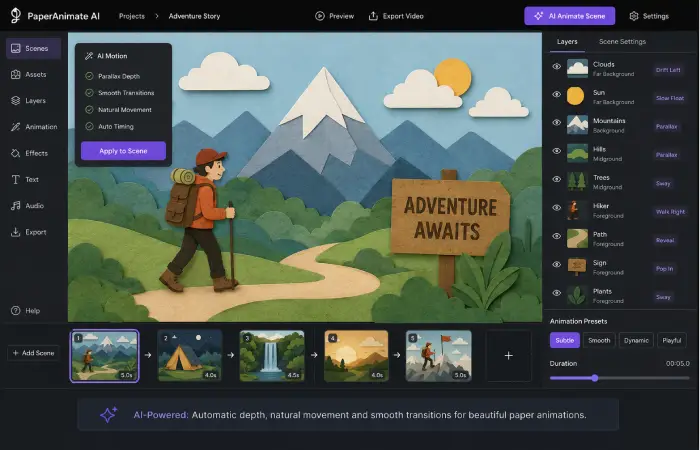
Using Paper Animation AI
- Create or import a script.
- Generate paper-style assets.
- Build layered scenes.
- Apply AI-assisted movement and transitions.
- Add narration and sound.
- Export the animation.
The second workflow usually requires more setup time but can produce richer animation effects.
Morning Routine Suitability: Quick Daily Content
If your goal is to produce short daily updates, announcements, or social posts, Canva is often the faster choice.
Why Canva works well for rapid content:
- Ready-made templates
- Simple editing interface
- Fast branding adjustments
- Quick export process
For teams publishing multiple pieces of content each day, these speed advantages can be significant.
Night Routine Suitability: Longer Storytelling Projects
For more detailed storytelling, educational explainers, or campaign videos, paper animation AI tools often provide greater creative flexibility.
Advantages for longer projects:
- Layered scene construction
- Paper-cutout visual style
- Automated character movement
- Consistent animation across multiple scenes
These features can help create a more distinctive visual identity.
Sensitive-User Guidance: Which Is Easier for Beginners?
Canva generally has the gentler learning curve. Most users can create simple animated content with minimal training.
Paper animation AI platforms may require:
- Understanding scene layers
- Learning animation timelines
- Adjusting AI-generated assets
- Managing motion settings
Beginners focused on ease of use often start with Canva before moving to specialised animation tools.
Cost Comparison
| Consideration | Canva | Paper Animation AI |
| Free Plan Availability | Yes | Often limited or trial-based |
| Subscription Costs | Generally lower | Can be higher for advanced features |
| Team Pricing | Widely available | Varies by provider |
| Asset Licensing | Included in many plans | Varies by platform |
Prices are always evolving, so the creator must weigh today’s prices before committing to an option.
Performance Expectations: What Each Tool Does Well
Canva strengths
- Fast content production
- Excellent template library
- Strong brand management tools
- Simple collaboration features
Paper animation AI strengths
- Distinctive visual style
- Richer animation capabilities
- AI-assisted asset creation
- Better suited to explainer storytelling
Limitations to keep in mind
Neither approach offers a definite boost in your marketing. What is still more critical to your success is the quality of your content, who you are marketing to, your message and how you are delivering that message.
Mutual Use Cases
Canva use cases
- Instagram and Facebook posts
- Presentation slides
- Short promotional videos
- Event announcements
- Infographics
Paper animation AI use cases
- Explainer videos
- Educational animations
- Product demonstrations
- Brand storytelling campaigns
- Animated advertisements
FAQ’s
What is the main difference between Canva vs paper animation AI?
Canva is an inclusive platform used for creating graphics, presentations, simple animation, whereas the paper animation AI tools are a specific tool for creating paper cut out style animated video by employing AI processes.
Which is ai animation is easier for the beginners?
Canva tends to be easier to pick up as it’s based on templates and has relatively simple animation tools.
Can Canva create paper-style animations?
Yes, Canva can make the paper-like graphics, but it is not ideal for high-end paper cutout animation.
Is paper animation AI worth the extra complexity?
For projects that require distinctive animated storytelling, the additional complexity can be worthwhile. For simple marketing posts, Canva may be sufficient.
Which option is better for marketing videos?
The better choice depends on the project. Canva is often best for quick promotional content, while paper animation AI is stronger for detailed explainer and storytelling videos.
Final Recommendation by Use Case
| Use Case | Recommended Option |
| Social media graphics and short videos | Canva |
| Educational explainer animations | Paper Animation AI |
| Team collaboration on branded content | Canva |
| Distinctive paper-cutout storytelling | Paper Animation AI |
| Fast daily content production | Canva |
With regard to the Canva versus paper animation AI comparison, there is not a clear winner. Canva is multipurpose for all your content creation needs and collaboration is excellent; however, paper cartoon AI programs are ideal for makers who require deeper animation power and a unique paper-styled aesthetic. The best choice for you will depend on your process, goals, financial capitals, and animation supplies.
Conclusion
Between Canva vs paper animation AI, your choice is dictated not by which platform is feature-packed, but rather, by your content needs. Canva is the perfect tool for you if you are an creator who is looking for the quick, low-effort manufacture for artworks, presentations, social media content and simple animated videos. It is incredibly user-friendly with a rich library of masters perfect for beginners and minor teams.