
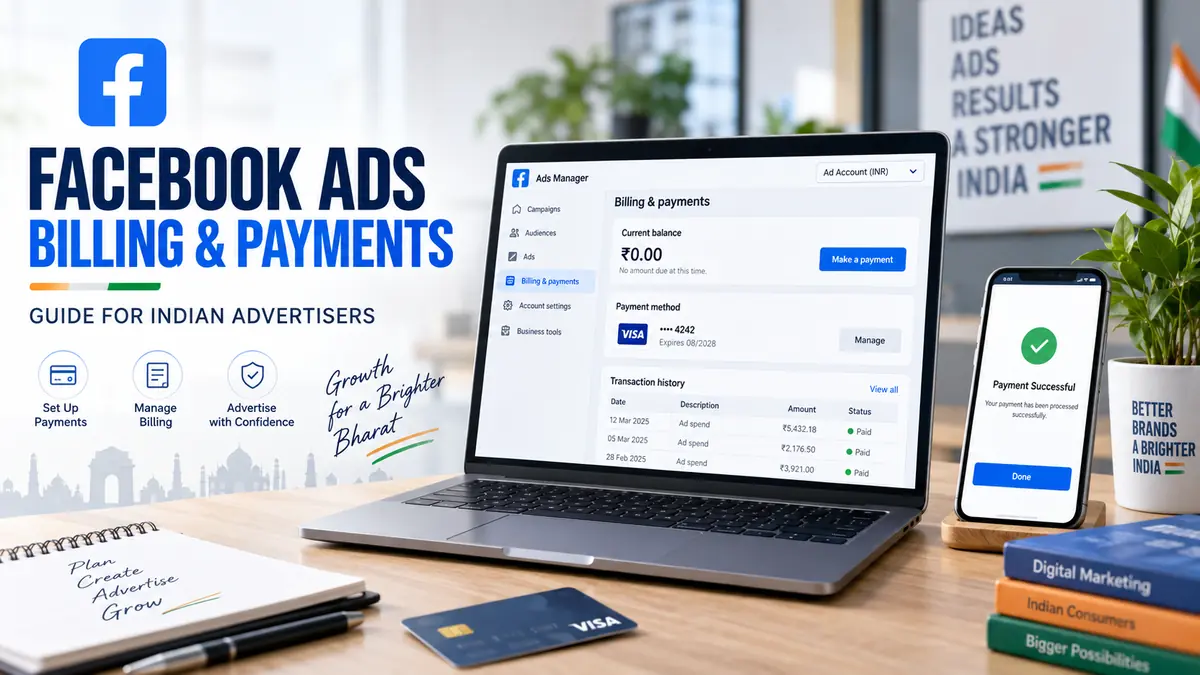

Understanding Facebook Ads billing and payments is essential before launching a campaign. Meta may charge an account when it reaches a billing threshold, on its monthly billing date or from funds added in advance.
Table of Contents
This Article Is Part of the Facebook Marketing Resource Hub
Explore more guides, tutorials, strategies, and marketing resources inside our Marketing Resource Hub .
The exact payment options available can vary according to the account’s country, currency, payment history and current Meta policies. Always confirm the information displayed inside your own Billing & Payments section.
How Facebook Advertising Billing Works
Meta advertising charges are based on campaign delivery rather than the number of campaigns created. Your total expense can include advertising spend, applicable taxes and any separate agency or creative-production fees.
Billing arrangements generally fall into these categories:
| Billing arrangement | How it works | Typical user |
| Automatic payments | Meta charges the saved method at a threshold or billing date | Most self-service advertisers |
| Prepaid funds | The advertiser adds money before advertisements run | Eligible manual-payment accounts |
| Monthly invoicing | Approved businesses receive an invoice under agreed terms | Qualifying established advertisers |
| Promotional credit | Eligible credit is applied before the main payment method | Accounts with a valid promotion |
Not every billing arrangement is available to every advertiser.
Facebook Ads Billing and Payments Guide
Follow this workflow to configure and review billing:
- Sign in to the correct Meta advertising account.
- Open Billing & Payments in Ads Manager.
- Confirm the advertising account ID and account currency.
- Add an available payment method.
- Enter accurate business and billing information.
- Add tax details where applicable.
- Review the payment setting and billing threshold displayed.
- Set an account spending limit if required.
- Run a controlled test campaign.
- Download invoices or transaction records for bookkeeping.
Currency and country settings require particular attention. Changing them may require the creation of another advertising account in some circumstances.
Facebook Ads Billing and Payments for Beginners
Beginners should distinguish between three separate controls:
- Campaign budget: The amount allocated to a campaign or ad set.
- Account spending limit: An optional limit across the advertising account.
- Billing threshold: The amount of accrued charges that can trigger an automatic payment.
A billing threshold is not a campaign budget. Reaching it may cause Meta to charge the saved payment method, but it does not necessarily stop campaign delivery. Use campaign budgets or an account spending limit to control expenditure.
Best Facebook Ads Billing and Payments Practices
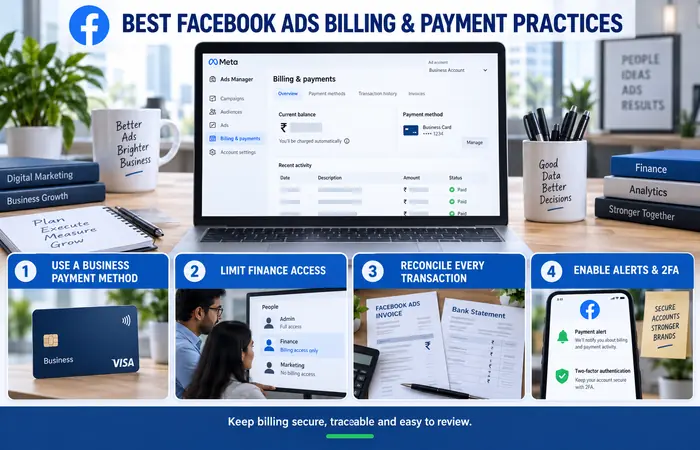
The best billing arrangement is one that the business can monitor and reconcile consistently. Use a payment method owned or authorised by the business rather than a freelancer’s personal card.
Give finance staff appropriate access without granting unnecessary campaign permissions. Download billing documents regularly, verify the advertising account ID and compare Meta transactions with bank or card statements.
For additional protection, enable payment alerts where available and restrict administrator access through individual logins and two-factor authentication.
Facebook Ads Billing and Payments Cost in India
There is normally no separate charge for opening Ads Manager or creating a campaign. The main cost is the amount spent delivering advertisements.
| Cost component | Explanation |
| Advertising spend | Budget consumed through campaign delivery |
| Applicable taxes | Calculated according to billing and tax circumstances |
| Currency conversion | Possible when the card and ad account use different currencies |
| Bank or card fees | Determined by the payment provider |
| Agency fee | Separate charge when using an external provider |
Indian advertisers should enter accurate legal and tax information and check each invoice for the tax treatment applied. Tax obligations can depend on business status and current law, so obtain advice from a qualified Indian tax professional instead of relying solely on platform settings.
Facebook Ads Billing and Payments Examples
Suppose a business has spent ₹2,000 and its displayed billing threshold is ₹2,000. Meta may attempt to charge the saved payment method when that threshold is reached. Advertising can continue afterwards, causing additional charges during the same month.
In another example, an eligible prepaid account adds ₹5,000 before launching its campaigns. Advertising spend is deducted from the available balance, and delivery may stop when usable funds are exhausted.
These are simplified examples. The figures and billing arrangement shown in an actual account may be different.
Troubleshooting Failed Facebook Ads Payments
A payment may fail because of insufficient funds, an expired card, incorrect billing information, an online transaction restriction or a bank security check.
Check the following:
- Confirm the amount and payment status in Ads Manager.
- Verify the card number, expiry date and billing address.
- Ask the bank whether online or recurring transactions are permitted.
- Try another payment method offered within the account.
- Avoid submitting the same payment repeatedly within a short period.
- Contact Meta through the support options displayed in the account if the issue continues.
Do not provide card details to people claiming they can remove billing restrictions outside Meta’s official support channels.
Facebook Ads Billing and Payments Tips
Set budgets using realistic business limits rather than Meta’s estimated reach alone. Review spending daily when launching a new campaign and investigate unexpected increases promptly.
Advertising costs are not fixed. They can change with audience competition, campaign objective, season, placements and creative performance. A higher bill does not automatically indicate an error; compare the charged amount with campaign delivery and transaction history first.
Expectations and Important Limitations
A payment threshold may change as an account builds a successful billing history, but an increase is not guaranteed. Adding a valid payment method also does not guarantee advertisement approval or uninterrupted delivery.
Bank records and Meta’s billing screen may display transactions at different times. Temporary authorisations, failed attempts and completed charges should be reviewed separately before reporting a duplicate payment.
Frequently Asked Questions
Where can I find Facebook Ads billing and payments?
Open Ads Manager and select Billing & Payments. Confirm that you have selected the correct advertising account before reviewing transactions.
Why did Meta charge me before the end of the month?
Your account may have reached its billing threshold. Automatic-payment accounts can be charged when the threshold is reached and again as further advertising costs accumulate.
Can I change my Facebook Ads payment currency?
Currency changes may not be available for an existing advertising account. Meta may require the creation of a new account with the required country, time zone and currency settings.
Does stopping an advertisement remove the outstanding balance?
No. Stopping delivery prevents new advertising spend, but charges already accumulated can remain payable.
Conclusion
Reliable Facebook Ads billing and payments management requires accurate account information, controlled budgets, secure payment methods and regular transaction reviews. Check the settings shown in your own account, retain invoices and seek professional tax advice where Indian compliance requirements apply.
Facebook Ads Manager Hub
Explore our Facebook Ads Manager guides covering account setup, campaign creation, billing, conversion tracking and troubleshooting.
