
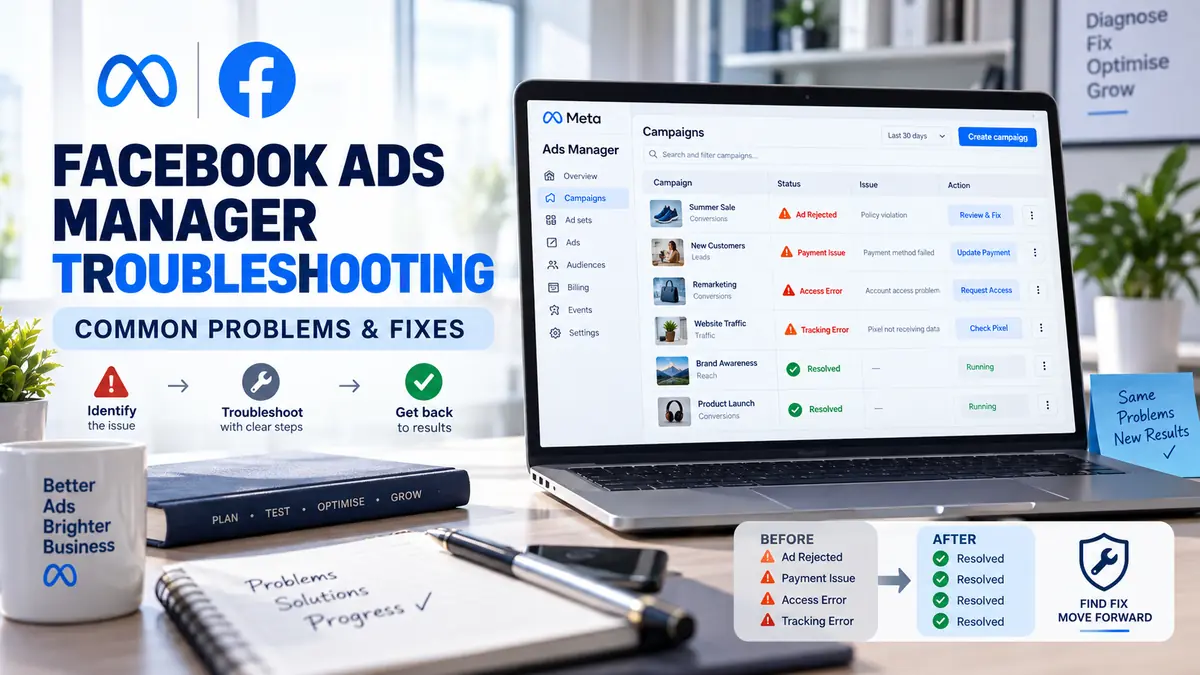

Facebook Ads Manager troubleshooting requires you to specify exactly what the problem is. An ad that is not delivering could be encountering a budget problem, targeting problem or even review problem. Your missing ad could be because your advertising account is wrong, or the date range is wrong.
Avoid making several changes simultaneously. A step-by-step diagnosis makes it easier to find the cause and prevents unnecessary disruption to active campaigns.
Table of Contents
Common Facebook Ads Manager Problems
| Problem | Possible cause | First check |
| Cannot access Ads Manager | Login, security or permission issue | Confirm the profile and ad account |
| Advertisement not delivering | Review, budget, schedule or audience problem | Check the Delivery column |
| Payment failed | Card, bank or billing information issue | Open Billing & Payments |
| Campaign appears missing | Wrong ad account, filter or date range | Reset filters and account selection |
| Conversions are missing | Pixel, CAPI or event configuration issue | Test events in Events Manager |
| Results suddenly declined | Competition, creative fatigue or website issue | Compare delivery and conversion data |
| Ads Manager will not load | Browser, connection or extension problem | Try an updated private browser window |
Facebook Ads Manager Troubleshooting Guide
Use this workflow before contacting support:
- Confirm that you are signed into the correct Facebook profile.
- Select the correct business portfolio and advertising account.
- Check the campaign, ad set and advertisement delivery statuses.
- Reset search filters and expand the reporting date range.
- Review notifications in Account Quality.
- Check outstanding balances and failed transactions.
- Test the website, landing page and conversion events.
- Review recent account, budget or creative changes.
- Record error messages and take screenshots.
- Use the support options shown in the affected account.
Do not delete and recreate a campaign until you understand the problem. Deletion can remove useful diagnostic information and make performance comparisons more difficult.
Facebook Ads Manager Troubleshooting for Beginners
Beginners should first determine which level is affected:
- Account level: Access, restrictions, billing or security
- Campaign level: Objective, spending limit or campaign status
- Ad-set level: Audience, budget, schedule or placements
- Advertisement level: Creative, destination, identity or policy review
- Website level: Page errors, slow loading or broken tracking
Look for warnings beside the affected item. Ads Manager often provides a delivery status or error message that is more useful than the overall campaign results.
Best Facebook Ads Manager Troubleshooting Method
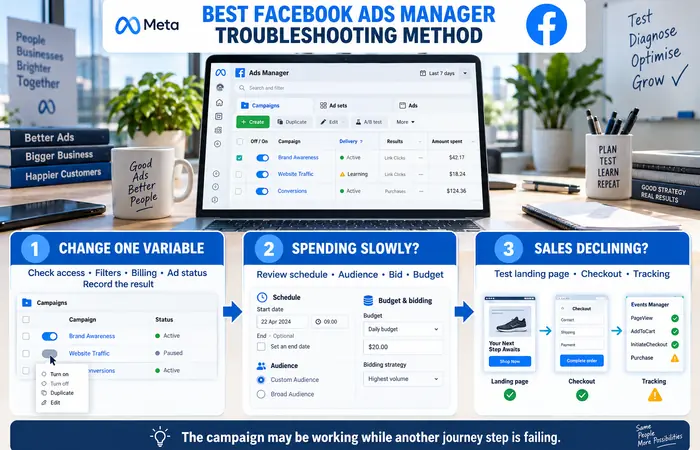
This is best done by changing one variable at a time & record the result. Start with non-destructive changes: accounts, filtering, payment history and shipping status.
If advertisements are active but spending slowly, review the schedule, audience size, bid strategy and budget. A narrow audience or highly competitive auction can limit delivery without creating a technical error.
If spending continues but sales decline, test the landing page, checkout and conversion tracking. The campaign may be delivering correctly even though another part of the customer journey is failing.
Troubleshooting Campaign Delivery
An advertisement may display statuses such as in review, rejected, scheduled, inactive, learning or active. “Active” does not always mean that the advertisement will spend immediately.
Confirm that:
- The campaign, ad set and advertisement are switched on
- The start date has arrived
- The budget has not been exhausted
- The account spending limit has not been reached
- The audience is not unnecessarily restrictive
- The creative and destination comply with Meta policies
- There is no unresolved payment or account restriction
Do not repeatedly edit an advertisement during review. Significant changes can require another review and delay delivery further.
Troubleshooting Billing and Payment Errors
If the charge was applied to an existing recurring product: Open the Billing & Payments tab within the app and view your charge details. You can see whether the charge went through successfully, how much is outstanding, and what payment methods are listed. Failures can be caused by lack of funds, a dead card, invalid address, or a block on web/recurring transactions.
Contact the card issuer if Meta reports a declined transaction without a detailed reason. Avoid repeated rapid payment attempts, as these may trigger additional security checks.
Troubleshooting Pixel and Conversion Data
Use Events Manager to test important events such as leads, purchases and completed registrations. Check whether events fire on the correct page and only after the intended action occurs.
When the Pixel and Conversions API send the same action, corresponding events should be deduplicated. Also compare Meta data with website analytics, CRM records and actual transactions. Different platforms may report different totals because their attribution methods are not identical.
Facebook Ads Manager Troubleshooting Cost
Meta’s self-service diagnostic tools and help resources do not normally have a separate troubleshooting fee. However, businesses may incur outside costs.
| Support option | Possible cost |
| Internal account checks | No additional platform fee |
| Meta support | No standard support charge |
| Freelancer or agency | Hourly or project fee |
| Tracking specialist | Implementation and testing fee |
| Website developer | Fee for landing-page or checkout repairs |
Never pay an unknown person who claims they can secretly remove account restrictions. Use support channels displayed inside Meta’s official platform.
Facebook Ads Manager Troubleshooting Examples
If a campaign appears missing, select the correct ad account, clear filters and extend the reporting dates. An old campaign may simply fall outside the current date range.
If advertisements receive clicks but no recorded purchases, complete a test order. Confirm that the purchase event fires once, carries the correct value and appears in Events Manager.
If an account is restricted, open Meta Account Quality and follow the available review process. Creating replacement accounts to avoid enforcement can lead to further restrictions.
Facebook Ads Manager Troubleshooting Tips
Keep a log of campaign changes, payment attempts and error messages. Before editing a successful campaign, create a record of its original settings.
Each user should have separate login details, enabling 2-factor authentication and removing old team members in a timely fashion. When seeking assistance, include Account ID, Campaign ID (if applicable), rough time of issue and provide screen-shots (excluding password, card full numbers).
Expectations and Limitations
Some issues can be fixed immediately, while payment, identity and policy reviews may require Meta’s assessment. Support availability and response times can vary by account.
Troubleshooting can restore correct settings or tracking, but it cannot guarantee advertisement approval, campaign delivery or sales. Competition, budget, creativity, offer and customer experience still govern ad performance.
Frequently Asked Questions
Where should Facebook Ads Manager troubleshooting begin?
Start by confirming the profile, advertising account, date range and delivery status. Then check Account Quality, billing and tracking based on the symptoms.
Why does Ads Manager show no campaigns?
The wrong account may be selected, filters may be active or the reporting date range may exclude older campaigns.
Why is an active Facebook advertisement not spending?
Possible reasons include its schedule, limited budget, narrow audience, auction competition, review status or an account-level restriction.
Can Meta support fix every Ads Manager problem?
No. Meta can review platform and account issues, but website errors, tracking implementation and campaign strategy may require internal or specialist support.
Conclusion
Troubleshooting issues within the Facebook Ads Manager effectively needs a methodical diagnosing based across four key areas: your access, ad delivery, account billing and website tracking performance. Work through one layer of the issue at a time, documenting each piece of evidence, and leveraging Meta’s own review or support systems if issues persist
