
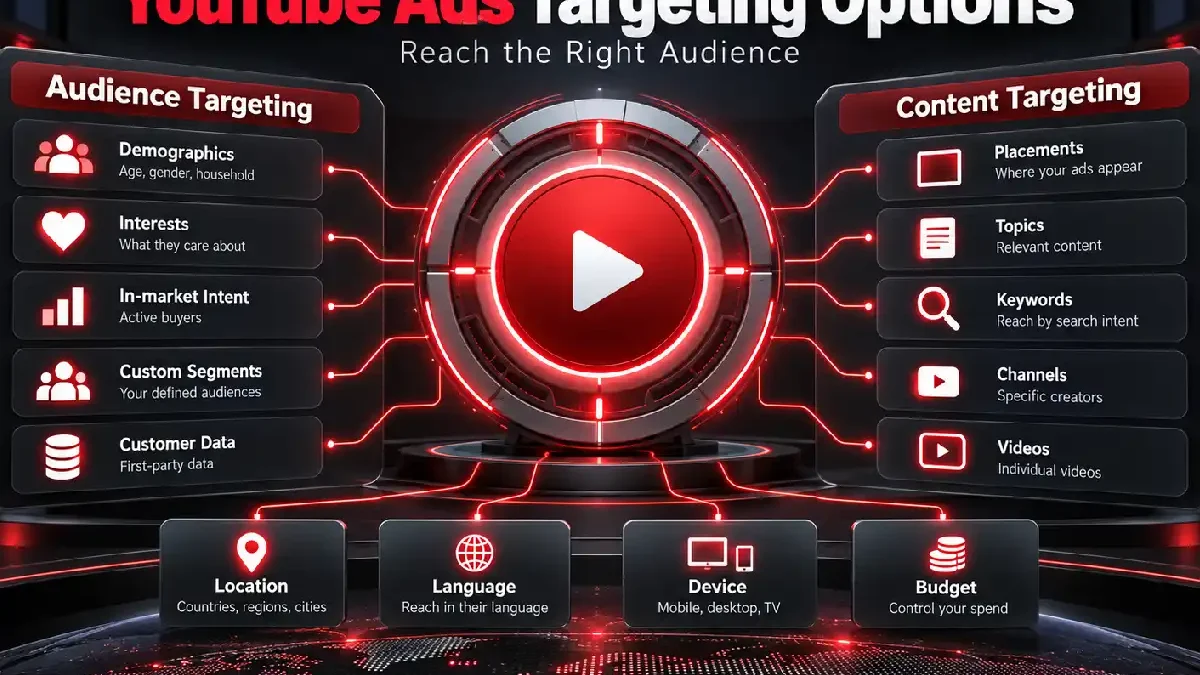

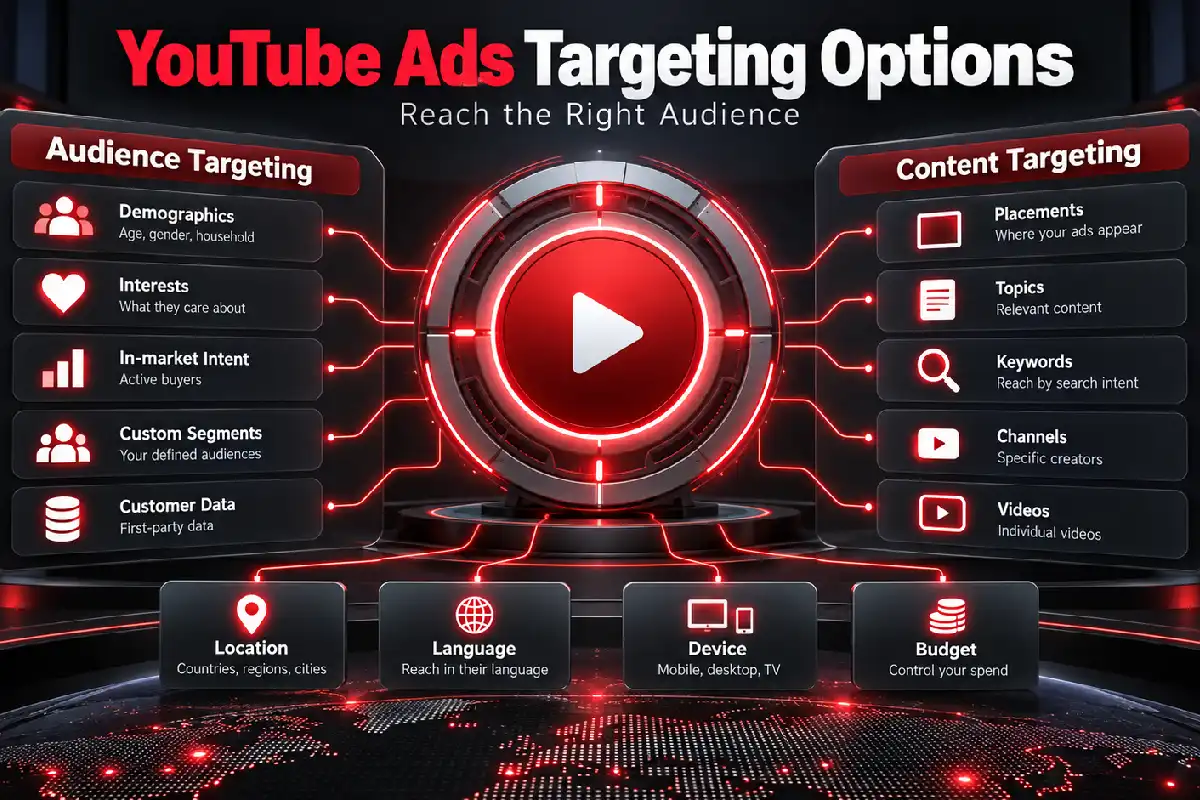


By selecting the right YouTube Ads targeting options, advertisers can get their video campaign seen by individuals that would be more likely to be interested in the message. You are able to target who the viewers are, what type of interests you believe they may have and also the kind of videos that may be watching.
Table of Contents
This Article Is Part of the Youtube Marketing Resource Hub
Explore more guides, tutorials, strategies, and marketing resources inside our Youtube Marketing Resource Hub .
This doesn’t mean strict targeting is best. Inappropriate restrictions will lead to delivery problems and high costs, and there simply won’t be sufficient performance data to satisfy Google Ads.
How YouTube Ads Targeting Works
Google divides targeting broadly into two areas:
- Audience targeting: Defines the people an advertiser wants to reach.
- Content targeting: Defines the videos, channels, websites, applications or subjects beside which advertisements may appear.
Campaign-level settings can also control location, language, device, schedule, frequency and content exclusions.
YouTube Ads Targeting Options Guide
| Targeting option | What it uses | Suitable application |
| Demographics | Age, gender, parental status and household income | Broad customer definition |
| Detailed demographics | Traits such as students, homeowners or new parents | Life-stage targeting |
| Affinity segments | Long-term interests and habits | Brand awareness |
| In-market segments | Recent purchase consideration | Product or service promotion |
| Life events | Milestones such as marriage, moving or graduation | Timely offers |
| Custom segments | Relevant keywords, URLs and applications | Tailored audience intent |
| Your data segments | Previous website, application or YouTube interactions | Re-engagement |
| Customer Match | Consented first-party customer data | Existing customer outreach |
| Placements | Selected videos, channels, websites or apps | Contextual control |
| Topics | Groups of related content | Broad contextual reach |
| Content keywords | Words related to videos, channels or websites | Contextual relevance |
Availability can vary according to campaign type, objective, bidding strategy and account eligibility.
Demographic Targeting
Typical Demographics-age, sex, parent status, family income. Richer Demographics-such things as a college student, homeowners, or new parents.
Use these options only when they are genuinely relevant. An advertiser selling accounting software should not exclude older or younger users without evidence that those groups are unsuitable.
Google estimates demographic characteristics, so reporting should not be treated as perfect personal data.
Affinity Audiences
Reach those with existing interests/habits, like fitness fanatics, travelers, techies in “affinity segments.”
They are commonly suitable for awareness campaigns because the audience may be interested in the category without actively shopping for a product. Affinity targeting can provide broad reach but may generate less immediate purchase intent.
In-Market Audiences
In-market segments are aimed to people who demonstrate intent in shopping, researching or considering product or service.
A car dealership might use an automotive in-market segment, while a business software provider could select a relevant commercial software category where available.
These audiences can be more commercially focused than affinity segments, but membership remains Google’s estimate rather than a confirmed intention to buy.
Custom Segments
Custom segments allow advertisers to provide relevant keywords, website addresses and applications associated with the ideal audience.
For example, an Indian online fitness programme could use search themes related to home workouts, relevant fitness websites and popular training applications. Google uses these inputs as signals to identify a suitable audience; it does not necessarily limit delivery to visitors of the entered websites.
Your Data Segments
Previously called remarketing, your data segments can include people who interacted with:
- Your website
- Your mobile application
- Your YouTube videos
- Your YouTube channel
- Previous video advertisements
These segments can support re-engagement, but their use requires appropriate data collection, privacy notices and consent where applicable. Audience size and policy requirements can also affect availability.
Customer Match
Customer Match allows eligible advertisers to use first-party customer information to reach or exclude existing customers across supported Google services.
The business must have the right to use and upload the information. Customer Match should not be treated as permission to upload purchased, scraped or unauthorised contact lists.
Content Targeting Options
Placements
Placement targeting can select particular YouTube videos, channels, applications or websites. It provides more contextual control but may create limited delivery when the list is too small.
Topics
Topic targeting displays advertisements around broad content categories, such as travel, automotive or business.
Keywords
Content keywords help Google find videos, channels or websites related to chosen words or phrases. These are contextual signals and should not be confused with traditional Search campaign keywords.
Google currently states that new video campaigns designed to drive conversions do not support content targeting. The system instead uses broader campaign signals to find conversion opportunities. (Google Ads Help)
Best YouTube Ads Targeting Options by Goal
| Campaign goal | Useful starting option | Main limitation |
| Brand awareness | Affinity segments and broad demographics | Purchase intent may be limited |
| Product consideration | In-market and custom segments | Audience signals are estimates |
| Re-engagement | Your data segments | Requires sufficient eligible users |
| Existing customers | Customer Match | Requires compliant first-party data |
| Specific content association | Placements | Delivery can be restricted |
| Category relevance | Topics and content keywords | Context does not confirm user intent |
| Local enquiries | Location plus relevant audiences | Location accuracy is not absolute |
The best targeting combination is usually the simplest one that tests a clear audience hypothesis.
YouTube Ads Targeting Options for Beginners
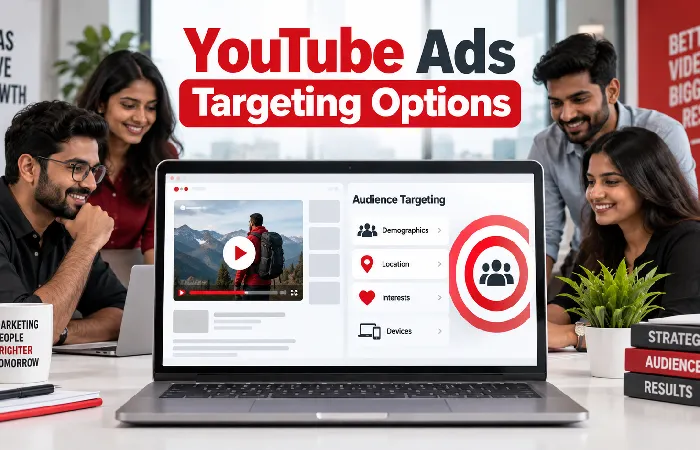
Use this workflow:
- Define the ideal customer.
- Select only locations the business serves.
- Choose the appropriate language settings.
- Add one principal audience type.
- Avoid unnecessary demographic exclusions.
- Set suitable content and brand-safety controls.
- Create an ad group for the audience theme.
- Launch with a controlled budget.
- Review audience and placement reports.
- Refine targeting using conversion quality.
Do not place every available audience into one ad group. Separate important hypotheses so their performance can be compared.
YouTube Ads Targeting Options Cost
Google does not normally charge an additional fee for selecting a targeting option. Targeting affects auction competition, available inventory and campaign efficiency.
A narrow, commercially valuable audience may carry a higher CPV or CPM. A broad audience may produce cheaper views but more irrelevant exposure.
| Targeting decision | Possible cost effect |
| Broad affinity segment | More reach and potentially lower CPM |
| Competitive in-market segment | Higher auction competition |
| Small placement list | Limited delivery and unstable costs |
| Major Indian cities | Potentially stronger competition |
| Your data segment | Efficient re-engagement but limited scale |
| Layering many restrictions | Reduced reach and possibly higher costs |
Evaluate cost per qualified lead or sale rather than assuming the lowest CPV represents the best audience.
YouTube Ads Targeting Options Examples
An Indian home-loan service might combine serviceable locations with an appropriate in-market audience. It should avoid assuming that every audience member qualifies financially.
An online fashion retailer could use custom segments for relevant shopping interests, then use its own data segment to re-engage product-page visitors.
A B2B software company might test a custom segment based on relevant search themes and business websites. It should measure qualified demonstration requests rather than total views.
A local gym could target its service radius and suitable fitness interests. Nationwide targeting would probably generate unusable enquiries.
YouTube Ads Targeting Options Tips
- Begin with one clear audience hypothesis
- Separate prospecting and re-engagement
- Avoid excessive demographic exclusions
- Use realistic service locations
- Review where advertisements appeared
- Apply content exclusions thoughtfully
- Link the YouTube channel when useful
- Use first-party data responsibly
- Compare audience quality with costs
- Make one targeting change at a time
Performance Expectations and Limitations
Targeting increases the probability of relevance; it does not confirm that every viewer belongs to a precise customer category. Google’s audience segments use estimated interests, intent and demographic information.
Location, device and audience reports can also contain uncertainty. Review results over a meaningful period and compare Google Ads conversions with CRM, sales and customer-quality records.
Frequently Asked Questions
What are the main YouTube Ads targeting options?
They include demographics, affinity, in-market, life-event and custom segments, your data, Customer Match, placements, topics and content keywords.
Which targeting option is best for beginners?
An in-market or relevant affinity segment combined with accurate location targeting can provide a manageable starting point. The appropriate choice depends on the objective.
Can I target specific YouTube channels?
Yes, eligible campaigns can use channel or video placements. Delivery is not guaranteed, and adding too few placements may restrict reach.
Do targeting options increase advertising costs?
There is no separate targeting fee, but audience competition and limited inventory can affect CPV, CPM and conversion costs.
Conclusion
Effective YouTube Ads targeting options connect an appropriate audience with the correct location, message and campaign objective. Start with a simple structure, avoid unnecessary restrictions and optimise according to qualified business results rather than cheap views alone.
YouTube Ads Hub
Explore our YouTube advertising guides covering ad formats,
advertising costs in India, campaign creation, targeting options,
specifications and optimisation.
YouTube Ads Complete Guide →
