


A social media content calendar strategy should make publishing easier to manage. It should not force your team to post every day. A useful calendar links each post to a customer question or business goal, records who will check it and leaves enough time to correct details before it goes live.
A spreadsheet is sufficient for a first version.
Table of Contents
Social Media Content Calendar Strategy Guide: Essential Columns
| Column | Why it matters | Example |
| Date and platform | Shows when and where the post goes live | Tuesday, Instagram |
| Audience question | Keeps the content useful | “Which size should I choose?” |
| Post purpose | Connects it to the plan | Reduce sizing enquiries |
| Format and asset | Shows what must be made | Photo and short caption |
| Link or next step | Gives interested readers a path | Product size guide |
| Owner and approver | Prevents missed checks | Writer and shop owner |
| Status | Tracks progress | Draft, approved or scheduled |
| Result | Supports the next plan | Relevant clicks or enquiries |
Add a space for an expiry date if you publish promotions. A sale post should not remain queued after the offer changes.
Best Social Media Content Calendar Strategy: Choose a Rhythm
The best social media content calendar strategy is one your team can maintain. Start with two or three posts a week and a regular planning session. Group ideas around customer questions, product or service explanations and real examples.
Leave some dates open. Unexpected stock changes, customer concerns or timely updates can make a scheduled post inappropriate. Check the queue before major holidays and campaigns, especially when opening hours or delivery schedules change.
Social Media Content Calendar Strategy for Beginners: Build Four Weeks
- Choose one goal for the month. For example, increase relevant service enquiries.
- List ten customer questions. Gather them from messages, calls or sales staff.
- Select eight to twelve post ideas. Give each one a purpose and suitable platform.
- Assign owners and deadlines. Allow time for fact checks and approval.
- Prepare and schedule a week at a time. Review details immediately before publishing.
- Record outcomes. Use the findings to adjust the next month’s themes.
This process works even if posts are published manually. Scheduling software is convenient but cannot decide whether an old offer is still valid.
Social Media Content Calendar Strategy Examples
A local bakery could plan a weekly ordering guide, a product example and an answer to a common allergy or delivery question. Any ingredient or allergen statement should be checked carefully against the actual product.
A B2B software company might schedule a practical problem explainer, a product workflow and an approved customer example. It would allow longer approval time for technical or client-specific claims.
The same calendar columns support both businesses, but their subjects and review steps differ.
Social Media Content Calendar Strategy Cost
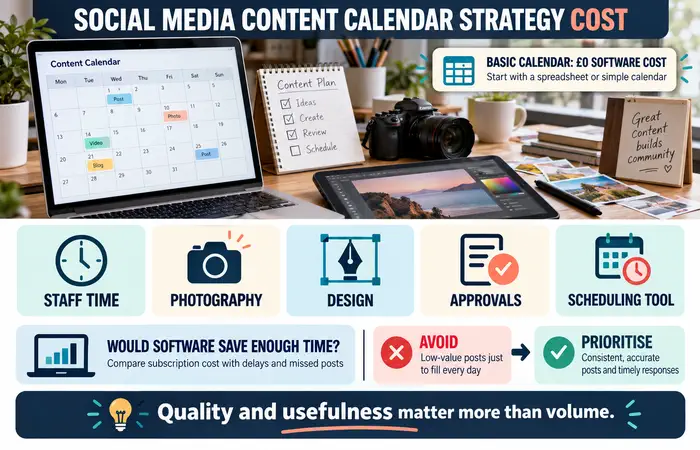
A basic calendar can be made without a paid subscription. Costs come from staff time, photography, design, approvals and any scheduling platform you choose. If delays repeatedly cause missed posts, measure whether software would save enough time to justify its price.
Do not fill the calendar with low-value content simply to make it look complete. Consistent, accurate posts and timely responses are a more realistic starting point than a high-volume schedule.
Social Media Content Calendar Strategy Tips
Store final assets and captions where the team can find them. Confirm links, prices and publication times. Put one person in charge of pausing posts when circumstances change.
A common mistake is creating the whole month without reviewing performance or incoming customer questions. Hold a short weekly check-in and update the remaining posts. A calendar is a working document.
FAQs
How far ahead should beginners plan?
Outline a month of themes, then finalise details closer to publication when information is more reliable.
Do I need a scheduling tool?
No. A spreadsheet and clear responsibilities are enough to begin.
What if I miss a posting date?
Move the post if it is still useful. Publishing an outdated or inaccurate post just to meet the calendar is counterproductive.
Conclusion
A social media content calendar strategy connects useful post ideas with deadlines, approvals and results. Plan a manageable month, review the queue each week and adjust it when customer needs or business details change.
