


Free SEO tools can take you a long way if you know what each one is for. An India-focused blog, for example, can check which queries bring visitors, compare interest in topics and find broken links without subscribing to a large SEO platform. Start with your own website and one question you want to answer.
Table of Contents
Free SEO Tools Guide: Match the Tool to the Task
SEO work includes several distinct tasks. Search performance data shows what people find on Google. Topic research helps you understand whether interest changes by place or season. A crawler checks your website’s pages and links. A speed test points to loading problems worth investigating.
A tool’s warning is a starting point, not an instruction to change a page immediately. Confirm the issue and consider whether fixing it will help users.
Best Free SEO Tools Compared
| Tool | Use it to check | What to keep in mind |
| Google Search Console | Queries, clicks, impressions, indexing and individual URLs | It reports on your verified website’s Google Search presence |
| Google Trends | How search interest varies by time and location | Its relative interest charts are not exact search volumes |
| PageSpeed Insights | A page’s speed and performance opportunities | Test important page types; one score does not describe an entire site |
| Screaming Frog SEO Spider | Broken links, redirects and page metadata | Its free version has a 500-URL crawl limit |
| Ahrefs Webmaster Tools | Available audit and search insights for sites you verify | Check its current eligibility and usage limits |
The best choice depends on the job. Begin with Search Console for your own search data. Add another tool when you can explain what question it will answer.
Free SEO Tools for Beginners: A Monthly Workflow
- Check Search Console. Look at your important pages and the queries that show them in search results.
- Choose one issue. It could be a valuable page that is not indexed or a page receiving impressions but few clicks.
- Inspect the page yourself. Check its title, content, links and whether it answers the likely search intent.
- Use a second tool if needed. Crawl for broken links, compare topic interest in Trends or test a slow page.
- Record the change. Note what you fixed and when, then review the page over the following weeks.
This keeps the work tied to a page and an outcome. Running five audits without reviewing their findings rarely helps.
Free SEO Tools Examples
Suppose a marketing article receives impressions in Search Console but few clicks. Review the queries first: does its title clearly describe the answer readers will find? Check the search results and the article before rewriting anything.
If an India-focused topic appears seasonal, use Google Trends with the location set appropriately to understand the pattern. If visitors complain that a key guide loads slowly, test its URL in PageSpeed Insights. For a broken internal link, use a crawler to find both the broken destination and the page linking to it.
Each example begins with a real question rather than an arbitrary tool score.
Free SEO Tools Cost and Limits
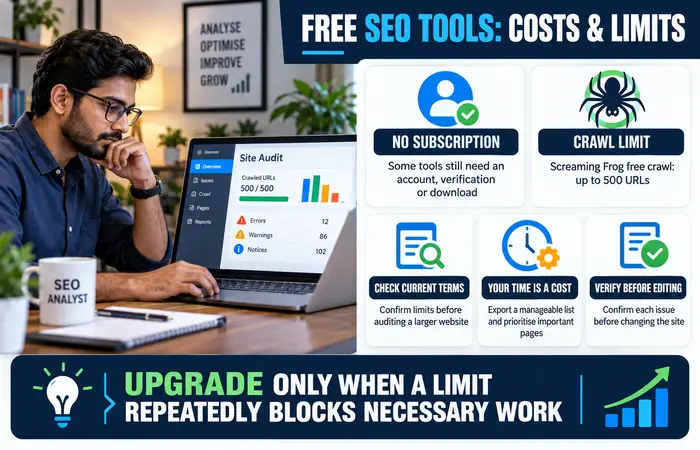
These tools can be used without buying a subscription, although some require site verification, an account or a download. Free access can also come with limits: Screaming Frog’s crawler stops at 500 URLs, for example. Check current terms before planning an audit of a larger website.
Your time is another cost. Export a manageable list of findings, prioritise important pages and confirm issues before editing. Paying for a tool makes sense when a limit repeatedly blocks necessary work—not simply because a paid dashboard has more features.
Free SEO Tools Tips and Expectations
Compare like with like: use consistent dates, page groups and locations. Keep records of major content or technical changes. Do not interpret every rise or fall in clicks as the result of one edit; search demand and competition change too.
No free tool can guarantee rankings. Its purpose is to help you find evidence, improve useful pages and notice problems early.
FAQs
Which free SEO tools should I use first?
Set up Search Console for your website. Add Trends, PageSpeed Insights or a crawler when you have a specific research or technical question.
Are free SEO tools enough for a small site?
Often, they cover the essential checks. Your needs may change as the site grows or you manage more projects.
Does a good speed score guarantee better rankings?
No. Use the report to investigate user experience, alongside content quality and other relevant issues.
Conclusion
Free SEO tools are most valuable when used in a simple cycle: identify a question, inspect the evidence, make a justified change and review the result. You can build that habit before spending money on software.
