



The best free marketing analytics tools help businesses understand where visitors come from, which campaigns generate enquiries and how people interact with a website. Although free platforms have limitations, a carefully selected combination can provide enough information for Indian start-ups, bloggers and small businesses to make better marketing decisions.
Table of Contents
What Are Free Marketing Analytics Tools?
Marketing analytics tools collect and organize information about website visitors, search campaigns, visibility and customer behavior. They turn raw activity—such as clicks, sessions and conversions—into reports that marketers can use.
A free tool may be entirely free, offer a limited free plan or require self-hosting. “Free” does not always mean there are no indirect costs. Configuration, server resources, staff time and paid integration may still be required.
Best Free Marketing Analytics Tools Compared
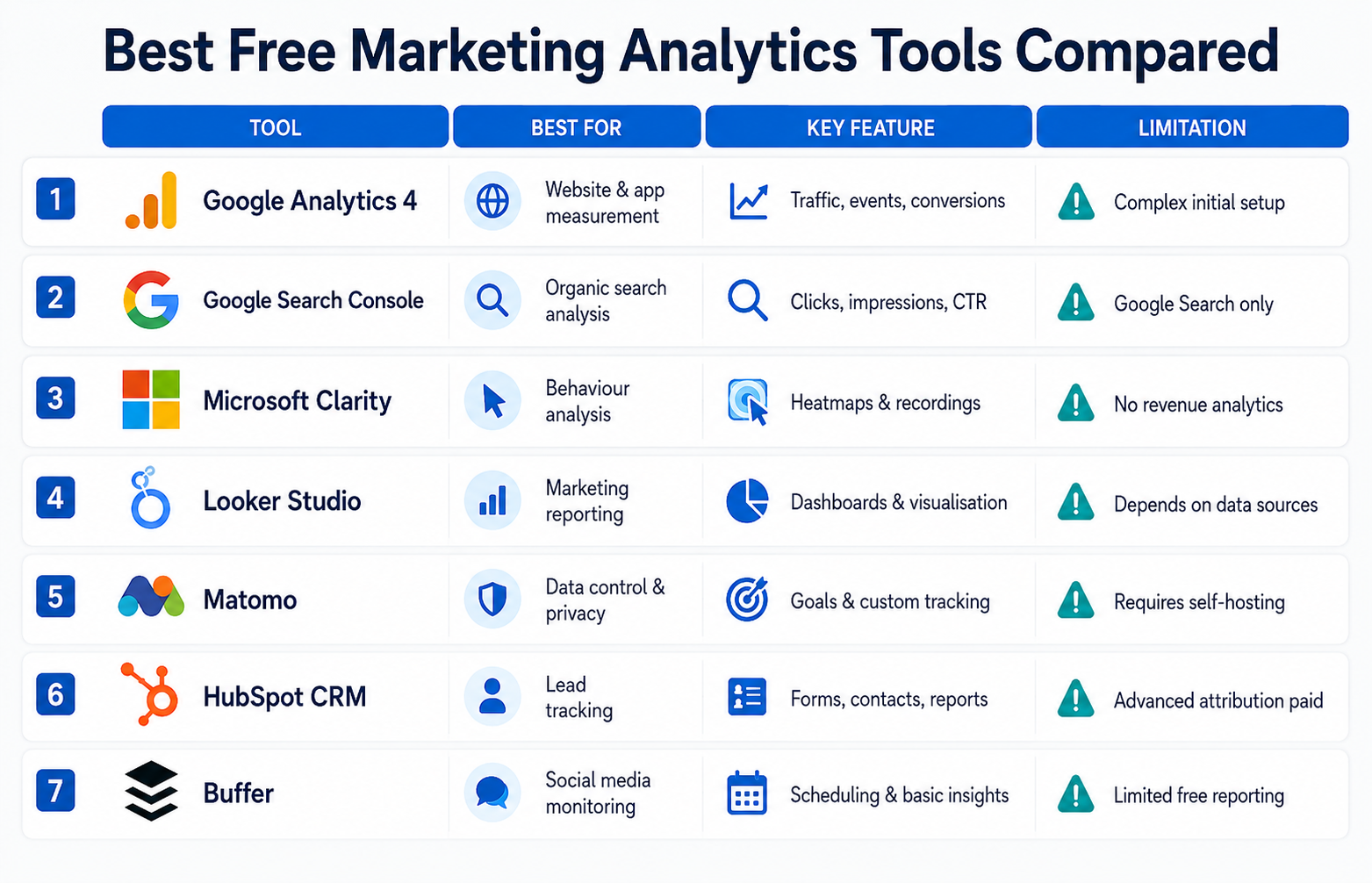
| Tool | Best for | Main free features | Important limitation |
| Google Analytics 4 | Website and app measurement | Traffic sources, events, journeys and conversions | Initial setup and reports can feel complex |
| Google Search Console | Organic search analysis | Clicks, impressions, CTR, queries and indexing reports | Covers Google organic search rather than all channels |
| Microsoft Clarity | Behaviour analysis | Heatmaps, recordings and engagement indicators | Does not replace conversion or revenue analytics |
| Looker Studio | Marketing reporting | Dashboards, charts and data visualisation | Data quality depends on connected sources |
| Matomo On-Premise | Data control and privacy | Web analytics, goals and custom tracking | Requires hosting and technical maintenance |
| HubSpot Free CRM | Lead and contact tracking | Forms, contacts and basic reporting | Advanced attribution requires paid features |
| Buffer Free | Basic social media monitoring | Post scheduling and limited channel insights | Restricted accounts and reporting depth |
Features and free-plan conditions can change. Check the provider’s current documentation before implementation.
1. Google Analytics 4
Google Analytics 4 is one of the most widely used free website analytics tools. It uses event-based measurement to track interactions across websites and applications. Businesses can monitor acquisition channels, landing pages, engagement, ecommerce actions and key events.
Google states that organisations can create an Analytics account and obtain website or app insights at no cost. Its official documentation also explains that GA4 collects event-based website and application data. (Google Analytics Help)
Best for: Businesses that need broad website and campaign measurement.
Limitation: Meaningful reporting requires properly configured events, consent settings and internal traffic filters.
2. Google Search Console
Google Search Console is particularly valuable for SEO. Its Performance report shows search clicks, impressions, click-through rate and average position. Reports can also identify the queries and pages producing organic visibility. (Google Search Console Help)
It should be used alongside GA4 because Search Console measures Google search performance, whereas GA4 measures activity after users reach the website.
Best for: SEO teams, publishers and content-led websites.
Limitation: It is not a complete multichannel analytics platform.
3. Microsoft Clarity
Microsoft Clarity explains what visitors do visually through heatmaps and session recordings. It can reveal dead clicks, repeated clicking, rapid scrolling and areas that users overlook.
Microsoft describes Clarity as a free behaviour analytics tool and currently states that it has no traffic limit. (Microsoft Clarity)
Best for: Landing page improvement and user experience investigation.
Limitation: A recording can show what happened, but it may not explain why the visitor behaved that way.
4. Looker Studio
Looker Studio is one of the most useful free marketing reporting tools for combining information from multiple sources. Marketers can build shareable dashboards containing traffic, campaign and conversion metrics.
Google describes its standard reporting product as a no-cost tool with a drag-and-drop editor for creating custom reports. (Google Cloud documentation)
Best for: Monthly reporting and stakeholder dashboards.
Limitation: Some third party connectors charge separate fees.
5. Matomo On-Premise
Matomo is a free, open-source alternative for organisations that want greater control over their analytics data. The core on-premise software has no licence fee, but the organisation must provide and maintain its own hosting. (Matomo)
Best for: Technically capable organisations with data control requirements.
Limitation: Updates, security, backups and server performance become the owner’s responsibility.
6. HubSpot Free CRM
HubSpot’s free CRM can connect marketing activity with contacts, forms and sales conversations. It is more useful for lead-based businesses than publishers that only need traffic data.
Best for: Small service businesses tracking enquiries.
Limitation: Detailed attribution, automation and reporting generally sit within paid tiers.
7. Buffer Free
Buffer’s free version can assist with basic social media publishing and performance reviews. It is suitable for small teams managing a limited number of profiles.
Best for: Beginners who need simple social post insights.
Limitation: It is not designed for advanced cross channel social analytics.
Which Tool Suits Each Marketing Routine?
| Use case | Recommended tool combination |
| Morning performance check | GA4 and Search Console |
| Weekly SEO review | Search Console and Looker Studio |
| Landing-page investigation | GA4 and Microsoft Clarity |
| Monthly client reporting | Looker Studio |
| Campaign link tracking | GA4 with consistent UTM parameters |
| Lead-generation reporting | GA4 and HubSpot CRM |
| Privacy-focused analytics | Self-hosted Matomo |
Setting Up Free Campaign Tracking Tools
- Define one primary outcome, such as a completed purchase or enquiry.
- Install GA4 or another suitable measurement platform.
- Configure important actions as key events.
- Connect the website to Google Search Console.
- Add UTM parameters to email, social and paid campaign links.
- Use Microsoft Clarity to examine behaviour on important pages.
- Combine agreed metrics in a Looker Studio dashboard.
- Review tracking manually before relying on the reports.
Consistent campaign naming is essential. For example, using facebook, Facebook and fb as separate source values can fragment reporting.
Expectations and Limitations
Free tools can identify trends, weak landing pages and successful acquisition channels, but they do not automatically produce a marketing strategy. Data may also be incomplete because of cookie consent, tracking prevention, ad blockers and incorrect configuration.
Avoid making decisions from very small samples. A page with two conversions from ten visits does not necessarily have a sustainable 20% conversion rate. Compare longer periods and consider seasonality, campaign changes and differences in traffic quality.
Advantages and Disadvantages
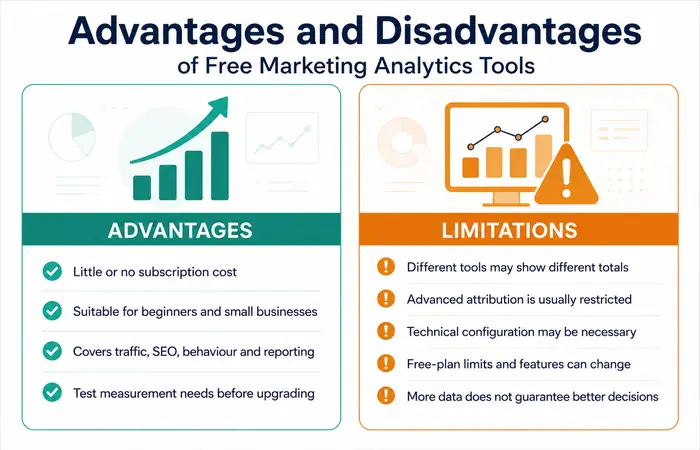
Advantages
- Little or no software subscription cost
- Suitable for beginners and small businesses
- Covers traffic, SEO, behaviour and reporting
- Allows businesses to test their measurement requirements
Limitations
- Multiple tools may produce different totals
- Advanced attribution is usually restricted
- Technical configuration may be necessary
- Free-plan limits and features can change
- More data does not automatically mean better decisions
Which Free Marketing Analytics Software Should You Choose?
If you’re new to this concept, one of the most potent go-tos you will have at your fingertips is; GA4 Search Console Microsoft Clarity and Looker Studio. Collectively these four alone represent performance, organic search, on-site user behavior and your Reporting tool – pretty great starting stack!
Opt for Matomo if you must protect data and technical backup. Opt for HubSpot if your concern is contacts, the sale’s follows up rather than the precision of the web analysis.
Frequently Asked Questions
What are the best free marketing analytics tools for beginners?
Google Analytics 4, Search Console and Microsoft Clarity are useful starting options. Add Looker Studio when you need a consolidated reporting dashboard.
Are free marketing analytics tools accurate?
They can provide reliable directional information when configured correctly. However, consent choices, browser restrictions and tracking errors mean no platform should be treated as a perfect record of every visitor.
What are free campaign tracking tools?
They are platforms or features used to measure campaign visits and conversions. GA4 combined with structured UTM parameters is a common free setup.
Can free tools measure marketing ROI?
They can estimate ROI when campaign costs and revenue data are available. Lead-based businesses may need CRM or offline sales data to calculate the complete return.
Conclusion
The best free marketing analytics tools are best matched to what an organization needs to measure. The duo of GA4 and Search Console provides a decent foundation, with Microsoft Clarity adding behaviour analysis and Looker Studio consolidating reports. It’s better to start with a small, robust measurement stack and only add more when there’s a real reporting constraint.
