
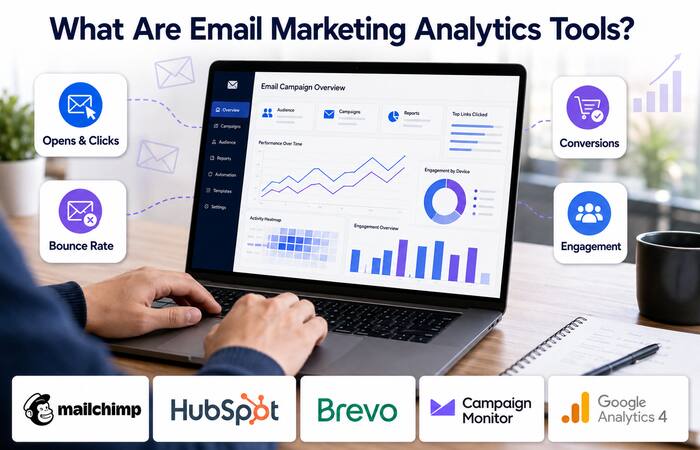



Email marketing analytics reports measure how performance takes shape once the campaign goes out. Moving beyond mere opens, Indian companies can look at clicks, conversions, bounces, unsubscribes and revenue. Finding the right provider of the tools will depend on your contact size, sales cycle, required reporting features, and technical capacity.
Table of Contents
What Are Email Marketing Analytics Tools?
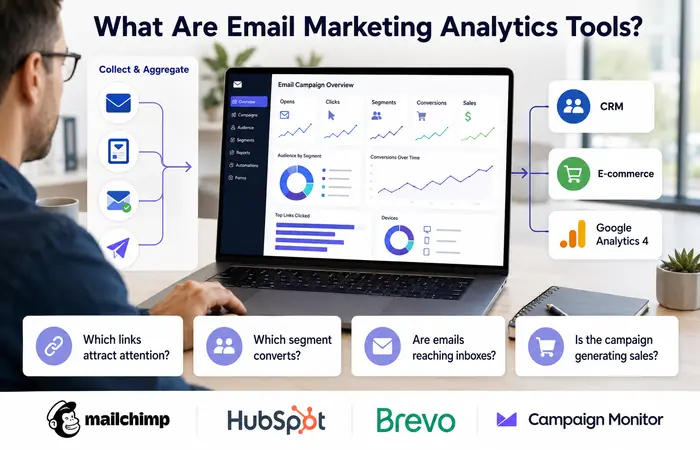
These are reports or reporting features that gather and aggregate email campaign information. Most are an integrated component of email marketing software packages and most also allow for campaign integration with customer relationship management software, e-commerce platforms, or Google Analytics 4.
Businesses can connect campaign links with Google Analytics campaign tracking to measure website visits, enquiries and sales generated through email.
Useful tools help answer practical questions: Which links attract attention? Which segment converts? Are emails reaching inboxes? Is a campaign generating enquiries or sales?
Email Marketing Reporting Tools Compared
| Tool | Best suited to | Important analytics capabilities | Main limitation |
| Mailchimp | Small businesses and ecommerce brands | Click maps, opens, clicks, audience data and Google Analytics tracking | Advanced reporting depends on the selected plan |
| HubSpot Marketing Hub | B2B and sales-led teams | Contact-level activity, campaign comparison, CRM attribution and custom reports | Costs can increase as contacts and feature needs grow |
| Brevo | Budget-conscious SMEs | Real-time statistics, engagement reports and transactional email monitoring | Some detailed reporting features are plan-dependent |
| Campaign Monitor | Agencies and campaign-focused teams | Link activity, engagement trends, bounce reporting, A/B tests and ROI tracking | Less suitable for teams needing a complete sales CRM |
| Google Analytics 4 | Website conversion measurement | Sessions, events, purchases, leads and campaign attribution | It does not replace email delivery or list-health reporting |
Mailchimp stores your open and click rates and provides tracking of campaigns, including sending an option to add Google Analytics tracking parameters to the links in an email. HubSpot includes campaign- and recipient-level insights and Campaign Monitor reports metrics for metrics such as open- click-bounces-unsubscribe rates- engagement trends Please note, that these features, limits, and their pricing may fluctuate and should be verified before choosing the plan.
Key Email Campaign Analytics Software Features
When comparing platforms, look for:
- Delivery, bounce and unsubscribe reporting
- Unique and total click measurement
- Link-level or click-map analysis
- Segmentation by audience, campaign or customer type
- A/B testing reports
- Automated journey performance
- Revenue or lead attribution
- Exportable dashboards and scheduled reports
- Bot filtering and privacy-aware measurement
- Integration with Google Analytics, CRM and ecommerce systems
A tool with more metrics is not automatically better. Select one that connects campaign activity with an actual business outcome.
Email Performance Tracking
1. Define the campaign objective
Choose one primary outcome, such as a purchase, enquiry, registration or content download.
2. Configure tracking
Add consistent UTM parameters to campaign links. Connect the email platform with GA4, your CRM or ecommerce store before sending.
3. Check delivery health
Review delivery rate, hard bounces, spam complaints and unsubscribes. Poor list quality can distort every later result.
4. Measure engagement
Examine unique clicks, click-through rate and link-level activity. Compare performance by segment rather than looking only at the overall average.
5. Track conversions
Record completed purchases, submitted forms or qualified leads. Calculate conversion rate using the same definition across campaigns.
6. Test one change
Test a single variable, such as the subject line, call to action or send time. Changing several elements together makes the result difficult to interpret.
Email Conversion Tracking and Engagement Metrics
| Metric | What it indicates | Important caution |
| Delivery rate | Proportion accepted by receiving servers | Delivery does not guarantee inbox placement |
| Open rate | Estimated number of recipients who opened | Privacy protection can inflate this figure |
| Click-through rate | Recipients who clicked a tracked link | Automated security scans may create false clicks |
| Conversion rate | Recipients completing the intended action | Requires correct website or CRM tracking |
| Unsubscribe rate | People opting out after a campaign | A sudden increase may indicate poor targeting |
| Revenue per email | Revenue attributed to delivered emails | Attribution settings affect the result |
Clicks and conversions are normally more useful than opens when assessing commercial performance. Open tracking often relies on a small image being loaded, so privacy features can reduce its accuracy.
Performance Expectations and Limitations
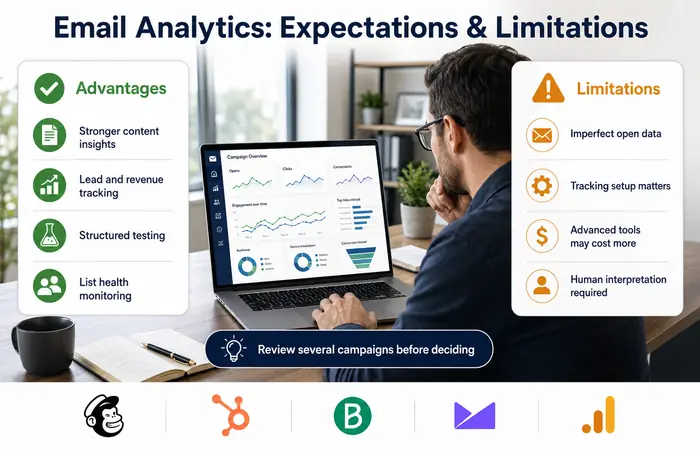
Email engagement analytics will not improve results by itself. The information becomes useful only when teams clean their lists, improve segmentation and test changes consistently.
Allow several campaigns before drawing conclusions, especially with small audiences. A campaign sent to 300 subscribers can show large percentage changes from only a few actions. Seasonal demand, discounts and audience quality can also affect results.
Advantages
- Identifies stronger content and audience segments
- Helps connect email activity with leads or revenue
- Supports structured testing and reporting
- Highlights deliverability and list-quality problems
Limitations
- Open and click figures are not perfectly accurate
- Incorrect UTM or conversion setup creates incomplete reports
- Advanced attribution may require paid plans
- Results still require human interpretation
Who Should Use These Tools?
For simple campaign reporting, small businesses can start with Mailchimp or Brevo. For b2b companies who must link email to contacts, deals and follow-up with prospects, then HubSpot,says Pasternac.
Agencies may find Campaign Monitor useful for managing and comparing client campaigns.
GA4 is a highly useful partner solution for the following company who requires the tracking website based of emails for conversions and is a partner solution along with emails.
How to Choose the Right Platform
Start with your reporting objective, not the longest feature list. Confirm the monthly contact and sending limits, integration availability, data-export options and support access. Request a trial where possible and send a controlled test campaign.
Companies in India should also make sure that they do get to make billing IN INR, and also that taxes do not affect the quoted price, that customer data is handled in sync with their data retention policies, policies and consent based on their internal data consent norms.
Frequently Asked Questions
Which email marketing analytics tools are best for small businesses?
Mailchimp and Brevo can get started as two decent options, and the Mailchimp vs Brevo battle depends on contact capacity, email automation features, integrations, and reporting features that come with each plan.
Can email analytics track sales?
Yes, provided the email platform is connected to an ecommerce store, CRM or correctly configured analytics system. UTM parameters and conversion events should be tested before the campaign is sent.
Are email open rates reliable?
Open rates are useful as directional indicators but are not exact. Image blocking, privacy protection and automated activity can influence reported opens.
What is the most important email marketing metric?
The most useful metric is the one connected to the campaign objective. For a sales campaign, this may be purchases or revenue; for lead generation, it may be qualified form submissions.
Conclusion
Great email marketing analytics tools are so much more than pretty dashboards. The best will link delivery with engagement and conversion and use the combination to inform business campaign decisions. Begin by defining objectives and identifying dependable tracking, select a system to meet team size requirements, observe multiple campaigns before dramatically changing your marketing strategy, and consider the data delivered as strong evidence and not absolute results.
