





The LinkedIn Sales Navigator price India users pay varies according to the plan, monthly or annual billing, taxes and available promotions. Indian professionals should check LinkedIn’s live checkout page for the current rupee amount rather than relying on an old pricing screenshot.
Table of Contents
This Article Is Part of the Linkedin Marketing Resource Hub
Explore more guides, tutorials, strategies, and marketing resources inside our Marketing Resource Hub .
It also costs more than the regular LinkedIn Premium. Sales Navigator includes B2B sales workflows, account search and prospecting tools and expertise.
What Is LinkedIn Sales Navigator?
LinkedIn Sales Navigator is a B2B sales platform for finding, researching and monitoring potential buyers. It operates through a dedicated interface connected to LinkedIn’s professional network.
Its features can include:
- More than 50 lead-search filters
- Lead and company recommendations
- Saved leads and accounts
- Real-time alerts
- 50 monthly InMail credits
- Relationship Explorer
- Buyer and account insights
- Team collaboration
- CRM integrations on eligible plans
It is designed for structured prospecting rather than sending high volumes of generic sales messages.
LinkedIn Sales Navigator Price India Guide
LinkedIn provides three main Sales Navigator plans:
| Plan | Best suited to | Main capabilities | Pricing approach |
| Core | Individual sellers | Search, lead lists, alerts and InMail | Self-service subscription |
| Advanced | Sales teams | Collaboration, shared insights and team features | Per-user subscription |
| Advanced Plus | Teams using a CRM | Advanced CRM integration and onboarding | Custom quotation |
LinkedIn’s global pricing page currently states that Core starts at US$119.99 per licence monthly or US$1,079.88 annually. Advanced starts at US$159.99 monthly or US$1,799.88 annually per licence. These are global USD starting prices, not guaranteed Indian checkout amounts.
LinkedIn notes that prices can exclude GST, vary by device and change through promotions. (Official Sales Navigator pricing)
How to Check the Current Indian Price
Follow this workflow:
- Sign in to your LinkedIn account.
- Open the Sales Navigator plans page.
- Choose Core or Advanced.
- Select monthly or annual billing.
- Review the price displayed in rupees, if available.
- Check whether GST is included.
- Confirm trial eligibility.
- Review the post-trial renewal amount.
- Record the renewal date before entering payment details.
Advanced Plus requires a consultation and customised quotation based on factors such as team size, CRM requirements, onboarding and training.
LinkedIn Sales Navigator Price India for Beginners
Beginners should normally consider Core before evaluating team plans. It contains the principal lead-search, account-monitoring and InMail tools required by an individual seller or consultant.
Before purchasing, define:
- Your ideal customer profile
- Target industries and company sizes
- Relevant decision-maker roles
- Number of accounts to research
- Weekly outreach capacity
- Sales follow-up process
- Expected value of a qualified opportunity
Sales Navigator may not provide value if the user lacks a clear target market or does not have time to research and contact prospects consistently.
Core vs Advanced vs Advanced Plus
| Feature | Core | Advanced | Advanced Plus |
| Advanced search filters | Yes | Yes | Yes |
| Monthly InMail credits | 50 | 50 | 50 |
| Lead and account alerts | Yes | Yes | Yes |
| TeamLink collaboration | Limited | Yes | Yes |
| Smart Links | No | Yes | Yes |
| Team reporting | No | Yes | Yes |
| Advanced CRM integration | No | No | Yes |
| Centralised team billing | No | Yes | Yes |
| Custom onboarding | No | Selected options | Available by agreement |
Features can change or have additional eligibility requirements. Verify the official comparison before selecting licences.
Best LinkedIn Sales Navigator Price India Option
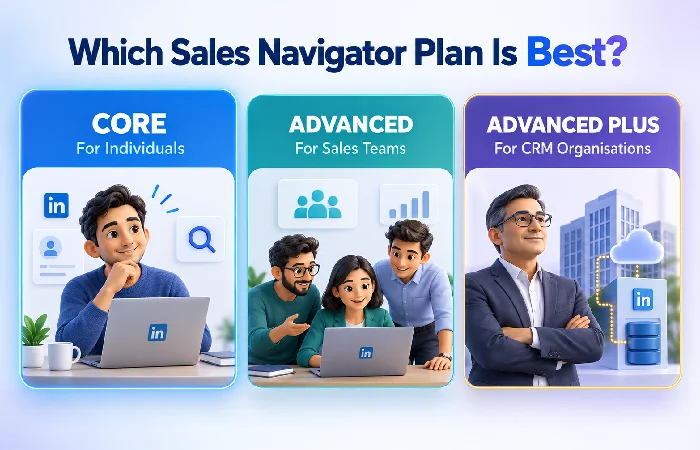
Core is usually the most appropriate option for an independent consultant, founder or business development professional managing personal prospecting.
Advanced can suit teams that need shared information, collaboration and centralised administration. Advanced Plus is intended for organisations that want LinkedIn data and workflows connected more deeply with supported CRM systems.
Do not choose Advanced simply because it contains more features. Team functionality provides limited value when only one person will use the subscription.
LinkedIn Sales Navigator Price India Cost Factors
The licence is not always the complete cost. Consider:
| Cost component | Possible expense |
| Subscription | Monthly or annual licence price |
| GST | Applied according to the checkout and tax details |
| Multiple users | Separate licences for team members |
| CRM | Existing software subscription |
| CRM implementation | Technical setup or consulting |
| Training | Internal time or paid onboarding |
| Prospecting tools | Optional complementary software |
| Sales staff time | Research, outreach and follow-up |
A team should calculate total annual ownership rather than comparing only the displayed per-month figure.
LinkedIn Sales Navigator Price India Examples
An independent business development consultant using Core for three months might prefer monthly billing because it avoids a full-year commitment.
A five-person sales team using shared lists and collaboration features could compare five Advanced licences with individual Core subscriptions. The value of Advanced depends on whether the team actually uses its shared functionality.
A larger organisation using Salesforce, HubSpot, Microsoft Dynamics or another supported CRM may request Advanced Plus pricing. Its quotation can reflect licences, integration and onboarding requirements.
Free Trial Availability
LinkedIn says eligible users may receive Core or Advanced free trials. According to its current terms, eligibility can depend on whether the member has an existing paid LinkedIn subscription or used a free trial during the previous 365 days.
Payment information is required, and the subscription can renew automatically unless it is cancelled before the trial ends. LinkedIn says it sends an email reminder seven days before expiry, but users should also set their own reminder.
LinkedIn Sales Navigator Price India Tips
To obtain better value:
- Compare the full monthly and annual totals
- Begin with a documented prospecting plan
- Save only relevant leads and accounts
- Use alerts as reasons for timely contact
- Personalise InMail messages
- Track replies, meetings and opportunities
- Review licence usage across the team
- Remove licences that are not being used
- Check renewal dates and invoices
- Avoid unofficial discounted accounts
Never purchase a shared login. Each authorised user should have an appropriate licence and individual account access.
Performance Expectations and Limitations
Sales Navigator can improve lead discovery and research, but it does not guarantee replies, meetings or revenue. Results depend on targeting, offer relevance, message quality, follow-up and sales ability.
InMail credits should not be treated as a reason to send mass pitches. A smaller number of researched, relevant messages can be more valuable than using every available credit without a clear strategy.
Frequently Asked Questions
What is the LinkedIn Sales Navigator price in India?
The final Indian price depends on the plan, billing frequency, taxes, currency and promotion. Check LinkedIn’s live checkout for the current rupee total.
Which Sales Navigator plan is best for beginners?
Core is usually the logical starting point for an individual seller. Advanced and Advanced Plus primarily add team and CRM capabilities.
Is annual billing cheaper?
LinkedIn’s published global pricing currently shows an annual saving for Core and Advanced. Compare the actual Indian monthly and annual checkout totals before choosing.
Does Sales Navigator include 50 InMail credits?
LinkedIn’s current official comparison lists 50 monthly InMail credits for Core, Advanced and Advanced Plus. Allowances remain subject to change.
Conclusion
The LinkedIn Sales Navigator price India users pay should be matched to a repeatable sales process. Core suits most individual sellers, Advanced supports collaborating teams, and Advanced Plus serves organisations requiring deeper CRM integration. Verify the live price, taxes and renewal terms before subscribing.
LinkedIn Premium Cost India Hub
Explore our LinkedIn Premium India guides covering available plans,
Career and Business pricing, Sales Navigator, free trials and
overall value.
LinkedIn Premium Cost India Complete Guide →
