




AI social media management tools can help when you have a good idea but need several versions of a caption, or when a blank content calendar slows you down. Their value is in giving you a starting point. For a business in India, details such as local availability, prices, language and festival dates still need someone who knows the business to check them.
Table of Contents
AI Social Media Management Tools Guide: Separate the Tasks
“AI tool” can mean several things. One feature may suggest post ideas; another may rewrite text for different platforms. A management platform may also combine AI drafting with scheduling and analytics.
Decide which task consumes time before choosing software. If writing captions is the problem, test drafting quality. If coordinating posts is harder, examine the calendar and approval process. An impressive generated caption is of little use if the platform does not support your active social accounts.
Best AI Social Media Management Tools to Consider
| Tool | AI use to test | Wider workflow to check |
| Buffer | Its AI Assistant for creating and refining post drafts | Supported channels, scheduling limits and team access |
| Metricool | Its AI social media assistant | Supported networks, brand limits and analytics history |
| Hootsuite | AI features available in the plan you are considering | Publishing, collaboration and total plan cost |
“Best” depends on your workflow. Test each tool with the same real brief rather than judging its sample output. Compare how much editing the draft needs, whether you can approve it before publication and whether the complete plan fits your budget. Providers can change features and access between plans.
AI Social Media Management Tools for Beginners: A Safe Workflow
- Write a specific brief. Include the audience, purpose, platform and confirmed product details.
- Ask for options. Generate two or three caption approaches rather than publishing the first response.
- Edit for your business. Replace generic claims with accurate details and a clear next step for the reader.
- Check every fact. Verify prices, dates, locations, links, offers and any statement about results.
- Approve and schedule. Check the final image and caption together, then review the published post.
- Learn from responses. Use actual customer questions to improve future briefs.
Do not paste private customer conversations or sensitive business information into an AI feature without checking how that service handles the data.
AI Social Media Management Tools Examples
A café could provide its confirmed weekend menu and ask for three short Instagram caption options. The owner would check dish names and availability before choosing one.
A marketing agency might turn an approved client article into draft LinkedIn post ideas. Its editor would check that the summary preserves the article’s meaning and follows the client’s approval process. A retailer could use a tool to brainstorm answers to frequent sizing questions, then rewrite the strongest idea using its actual return policy.
In each example, the business supplies the facts. AI helps shape the draft.
AI Social Media Management Tools Cost
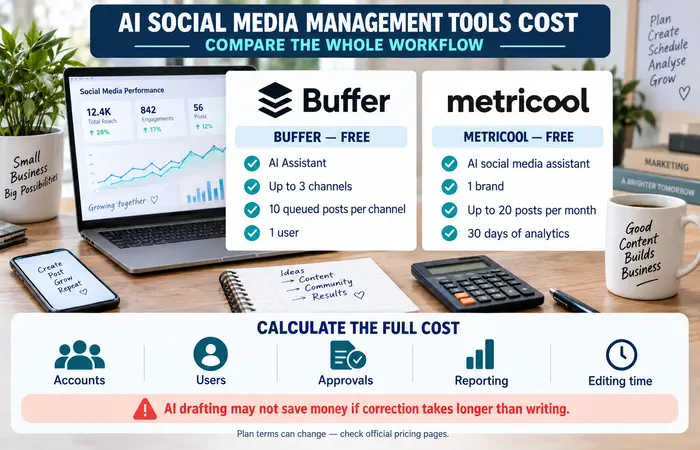
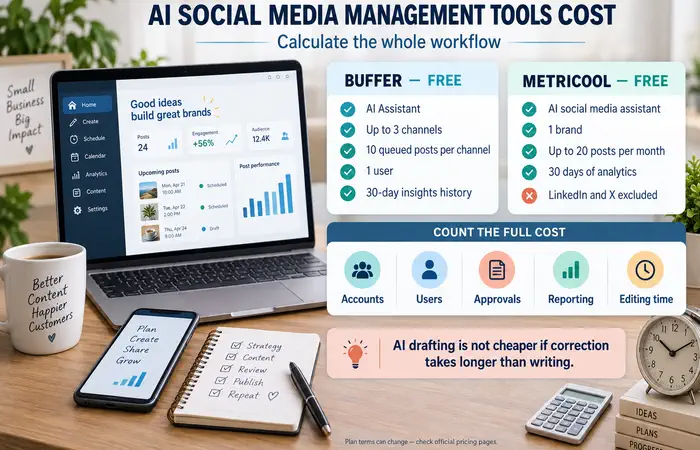
Some platforms include an AI assistant in a free plan, while other useful features may require payment. For example, Buffer lists an AI Assistant on its free plan, alongside limits on connected channels and queued posts. Metricool lists an AI social media assistant on its free plan, with limits on brands, supported networks and analytics history. Check the Buffer and Metricool plan pages for current terms.
Calculate the full cost of the workflow, including accounts, users, approvals and reporting. Paying for AI drafting alone may not save money if every output takes longer to correct than a human-written post.
AI Social Media Management Tools Tips and Expectations
Keep a short brand guide with approved terms, tone and claims. Give the tool a narrow task, such as “suggest three openings for this verified announcement”, and review the result in context. Be particularly careful with health, financial or performance claims.
AI can make first drafts faster. It cannot know an unannounced price change, guarantee engagement or take responsibility for a misleading post. Measure whether it reduces your team’s editing time while maintaining accuracy.
FAQs
Are AI social media management tools suitable for beginners?
Yes, if you start with one small task, such as caption ideas, and review every draft before publishing.
Can an AI tool run my social accounts automatically?
Some tools combine drafting and scheduling, but you still need to check content, monitor publication and respond to customers.
Will AI-written posts perform better?
There is no guarantee. Results depend on the audience, the usefulness of the content and how well the final post reflects your business.
Conclusion
AI social media management tools are most useful for specific, repeatable tasks: generating ideas, preparing draft variations and organising content. Test them with real briefs, keep a person responsible for the final post and pay only for features that improve your workflow.
